'%20/%3e%3cpath%20d='M206%20112%20L206%20232%20L310%20172%20Z'%20fill='%23fff'%20/%3e%3crect%20x='96'%20y='288'%20width='320'%20height='48'%20rx='24'%20fill='%23fff'%20fill-opacity='0.35'%20/%3e%3crect%20x='96'%20y='288'%20width='196'%20height='48'%20rx='24'%20fill='%23fff'%20/%3e%3crect%20x='136'%20y='364'%20width='240'%20height='48'%20rx='24'%20fill='%23fff'%20fill-opacity='0.35'%20/%3e%3c/svg%3e) Kara3
Kara3Automatic ruby: add furigana, zhuyin and romanization to lyrics
Updated October 3, 2026
Kanji in Japanese songs, or Chinese songs for viewers who don't know Chinese well, often need the reading marked on the lyrics. Kara3's Automatic ruby adds readings to a whole song at once, so you don't have to type them character by character.
Supported kinds:
| Kind | For lyrics in | Example |
|---|---|---|
| Furigana (Japanese) | Japanese | 夜空 → よぞら |
| Romaji (Japanese) | Japanese | 夜空に → yozora ni |
| Zhuyin (Chinese) | Chinese | 夜空 → ㄧㄝˋ ㄎㄨㄥ |
| Pinyin (Chinese) | Chinese | 夜空 → yè kōng |
| Romanization (Korean) | Korean | 밤하늘 → bamhaneul |
The readings are all made on your computer, and the lyrics are never uploaded anywhere.
How to use it
- Choose Subtitles > Automatic ruby.
- Choose a kind. The editor picks one for you based on the lyrics. For example, if the lyrics contain kana, it picks Furigana (Japanese).
- Choose how to show the reading and where:
- Over or under the characters: like ordinary ruby, the reading goes next to the character or word.
- A line of its own: adds a line with the reading next to each lyric. Romaji, romanization and pinyin are written word by word, separated by spaces. Furigana replaces the kanji with kana and copies the other characters as they are, giving a whole line in kana. Zhuyin can't be put on a line of its own.
- Choose the range (Selected lines or All lines) and click Add.
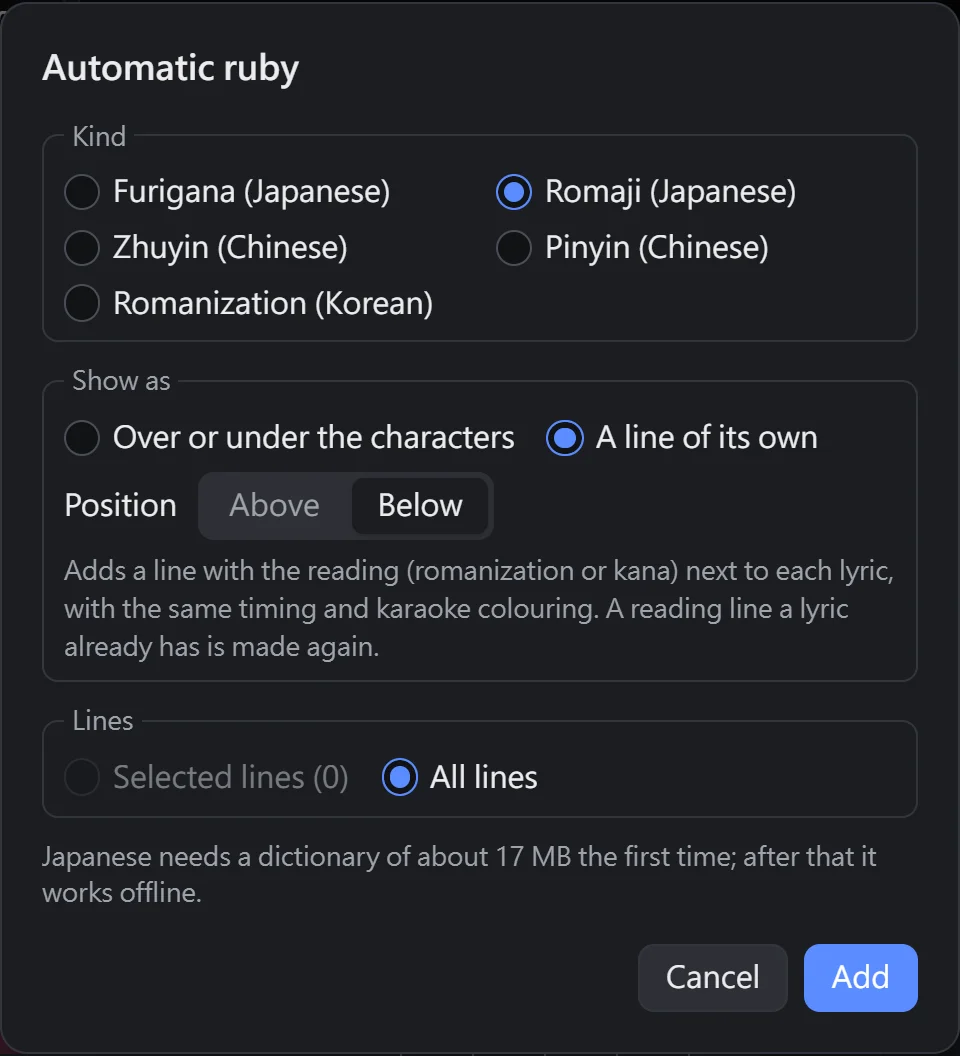
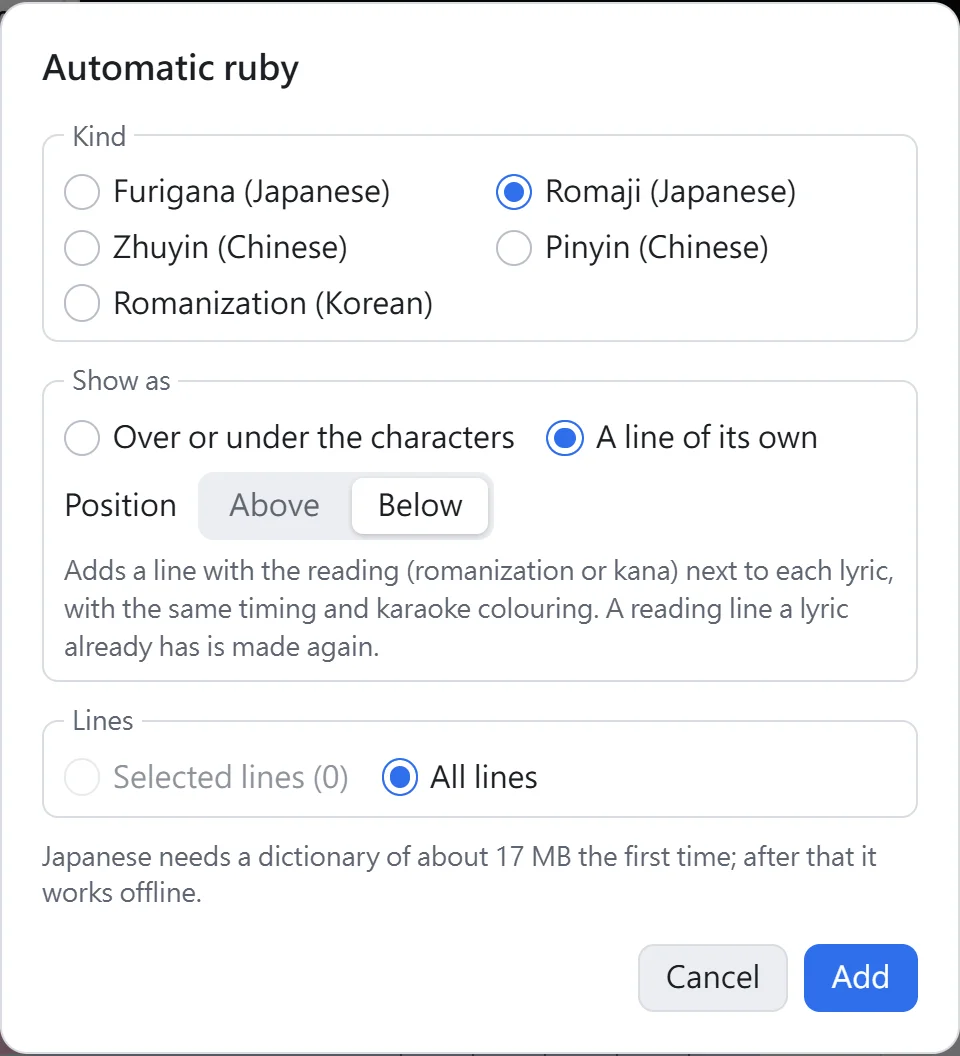
The first time you use Japanese, a dictionary of about 17 MB has to be downloaded, and the dialog shows the download progress. Once it has been downloaded, it works without an internet connection too.
After adding
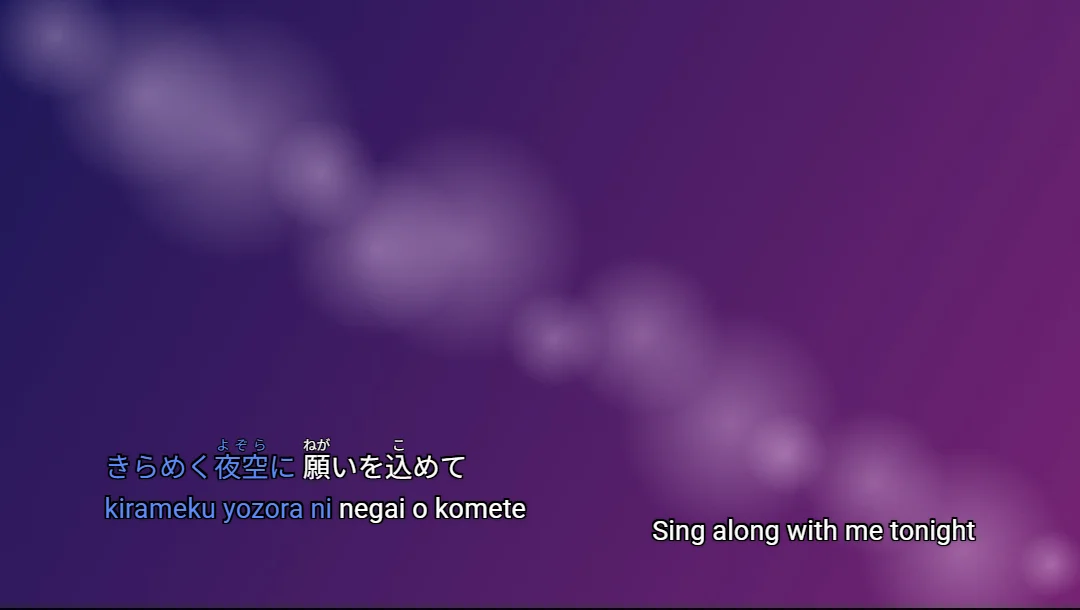
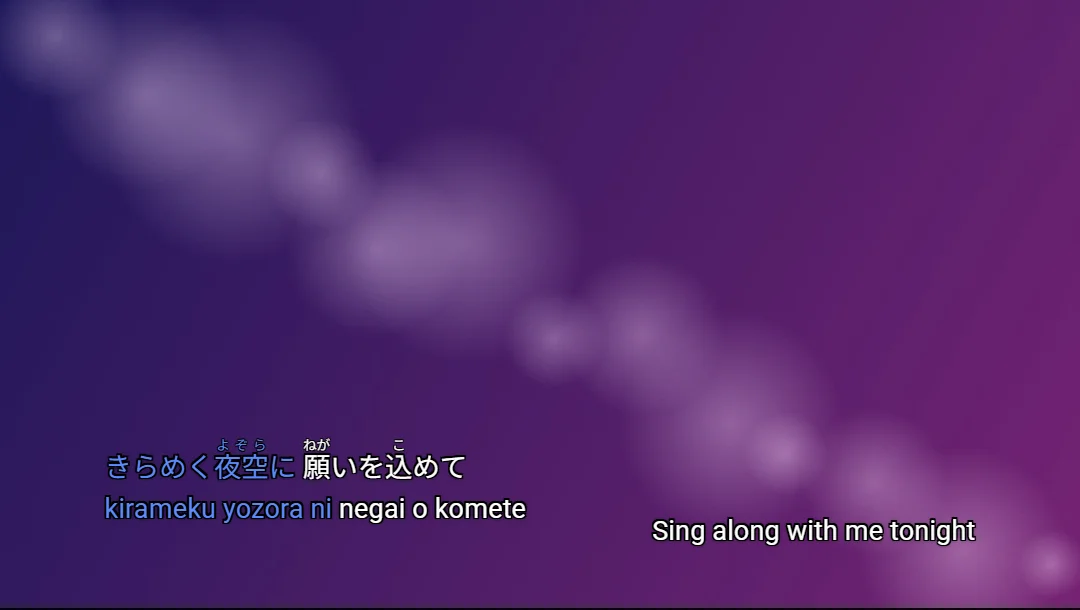
- Ruby and reading lines keep the original line's colors, edge and font, and the character-by-character color change stays in sync: each word in a reading line changes color together with the matching characters in the lyric.
- A reading line goes directly below or above the original line. If there is no room left on that side (for example, the original line is at the very bottom of the screen), the original line moves one line away, and the reading line takes the original line's place.
- Characters that already have ruby keep it; only the missing ruby is filled in. Reading lines are made again each time you run it, so changing the kind or position takes effect.
- Reading lines go on a track of their own, named like "Subtitles 1 Pinyin (Chinese)", so you can hide or export them separately (see Tracks).
- All the ruby added in one go is a single undo step. If you don't like it, press Ctrl+Z.
Add ruby to just one line or a few characters
Select a line, open the style panel (Alt+S), choose a kind in the Ruby section and click Fill in to add ruby to the whole line. If you first select a few characters in the text box in the subtitle list, only those characters get ruby.
When an automatic reading is wrong, select those characters in the text box and type the correct reading in the ruby field.
Limits of automatic readings
- Readings are worked out from a dictionary, so characters with more than one reading, names and readings particular to the lyrics may come out wrong. After adding them, it's a good idea to play the song through once and check.
- Pinyin follows the standard readings of mainland China. Zhuyin follows the Concised Mandarin Chinese Dictionary by Taiwan's Ministry of Education (about 0.4 MB is downloaded the first time), so 垃圾 is ㄌㄜˋ ㄙㄜˋ. 一 and 不 are marked with their changed tones (一個 is ㄧˊ ㄍㄜˋ). Characters with several readings are chosen from context and may occasionally be wrong.
- When tapping the timing, a character with ruby counts as one syllable together with its ruby. Reading lines don't need their own taps; they change color along with the original line.
How it shows on YouTube
- The computer player supports ruby, and it shows correctly whether it's above or below.
- The phone apps don't support ruby and show it as text in parentheses, like 漢字(かんじ). Reading lines are ordinary subtitles and show normally on phones too, so if you want phone viewers to see the readings as well, A line of its own is the safer choice.
For how to save your subtitles and upload them when you're done, see "How to make karaoke subtitles".